Blog
Support Email Triage to Tickets for Small Ops Teams
Turn support emails into owned, prioritised tickets with lightweight n8n automation—without forcing a small team into an oversized service desk.
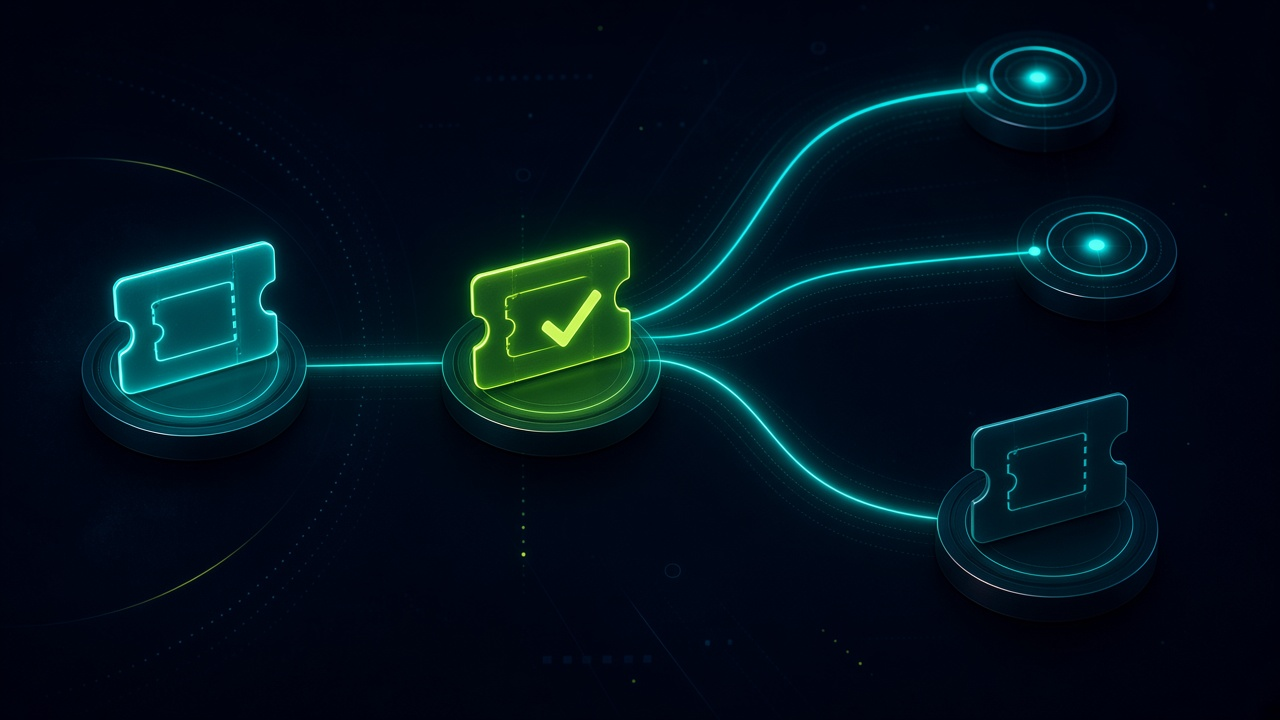
Support Email Triage to Tickets for Small Ops Teams. Written by Adeem Adil Khatri at Zaps Studio.
TL;DR
- Fixed-price automations that pay for themselves in weeks, not quarters.
- Lead routing, quote follow-ups, and recovery flows with real ROI numbers.
- You own the system — no retainer lock-in to keep it running.
For a small operations team, support email triage to ticket automation should reliably capture every inbound message, create one trackable ticket per conversation, assign an owner, set priority, and remind people before an SLA is missed. Start with email and rules-based routing; add AI or more channels only when volume makes them worthwhile.
What should support email triage automate first?
The first version should remove uncertainty rather than attempt to replace the support team. A practical workflow does the following:
-
Monitors a support mailbox such as
[email protected]. -
Identifies whether an email starts a new conversation or continues an existing one.
-
Creates a ticket with the original message, sender, subject, attachments, and received time.
-
Matches replies to the existing ticket using message IDs, thread references, or a stored ticket number.
-
Classifies the request by topic, such as delivery, returns, technical issue, account access, or quote request.
-
Assigns the ticket to a team or named owner.
-
Applies priority based on rules such as customer tier, outage language, order value, or age.
-
Sends an internal notification without exposing private notes to the customer.
-
Starts SLA reminders and escalation timers.
-
Records errors in a review queue instead of silently dropping messages.
This is the difference between forwarding email and operating a support process. Ticketing systems are designed around ownership, status, prioritisation, escalation, and reporting—not just message collection.
For a wider view of practical automations, see these B2B workflow automation quick wins and the n8n workflow examples for B2B teams.
How does the email-to-ticket workflow work?
A dependable workflow usually has five layers:
| Layer | What it does | Example |
|---|---|---|
| Capture | Reads new support messages | IMAP, Microsoft 365, Gmail, or Outlook |
| Normalise | Extracts consistent fields | Sender, subject, body, attachments, message ID |
| Triage | Applies routing logic | “Delivery delay” becomes Logistics |
| Ticketing | Creates or updates the record | Ticket ID, owner, status, priority |
| Control | Monitors exceptions and deadlines | SLA reminder, duplicate review, error alert |
The key design decision is where the ticket record lives. It can sit inside a dedicated help desk, a CRM, a database, or a structured operational tool. Small teams should choose the least disruptive option that still gives them a reliable audit trail.
A Gmail- or Outlook-based workflow can be appropriate when the team already works in email and needs better ownership without migrating immediately. A dedicated help desk becomes more compelling when several agents handle the same queue, reporting matters, or customers use multiple channels.
How do you prevent duplicate tickets and missed replies?
Duplicate prevention needs explicit identifiers. Do not rely only on subject lines because customers often change subjects, forward messages, or remove ticket numbers.
Store and compare:
The email Message-ID.
In-Reply-To and References headers where available.
A generated ticket number inserted into outbound replies.
The customer email address.
A normalised subject and a short time window as a fallback.
When confidence is low, send the message to a review queue instead of creating another ticket. The same principle applies to attachments: preserve the original file reference and log failed downloads so an agent can retrieve them.
Collision prevention matters too. If two people open or reply to the same issue, the workflow should show ownership and recent activity. Email ticketing guidance commonly treats threading, assignment, status, and shared visibility as core requirements rather than optional enhancements.
What routing rules work well for small support teams?
Use simple rules that an operator can explain and amend. Start with five to eight categories, then expand only when the data justifies it.
Useful routing signals include:
Sender domain or customer account.
Words in the subject and body.
Product, order, invoice, or serial number.
Mailbox address, such as billing versus support.
Customer value or service level.
Presence of terms such as “urgent”, “down”, “cannot access”, or “deadline”.
Previous ticket category and assigned team.
A sensible priority model might be:
P1: service outage, safety concern, or widespread operational failure.
P2: a blocked customer or order-critical issue.
P3: standard request requiring a response.
P4: general question, feedback, or low-impact administration.
Rules should be visible. If an AI classifier assigns “urgent” without recording why, the team cannot audit false positives or improve the system. AI can assist with classification and summaries, but deterministic rules should control high-risk escalation.
For examples of routing logic beyond support, see this lead-routing automation guide for small B2B teams.
Should a small team use a help desk or automate its existing inbox?
There is no universal winner. The right choice depends on volume, channels, and how much process change the team can absorb.
| Operating model | Best for | Strength | Limitation |
|---|---|---|---|
| Gmail or Outlook plus automation | Teams with low-to-moderate email volume | Fast adoption and minimal migration | Reporting, collision detection, and history need careful building |
| Dedicated help desk | Multiple agents and formal SLAs | Strong ticket records, reporting, and escalation | Adds another system and subscription |
| CRM service module | Support linked closely to accounts and sales | Customer context and commercial history | Can be excessive for email-only support |
| Self-hosted open source | Teams with technical ownership | Control and flexible customisation | Hosting, backups, updates, and security remain your responsibility |
Freshdesk is a budget-oriented dedicated help desk with email ticketing, automation, and SLA features; it suits teams wanting a conventional service desk, but stronger plans and AI capabilities increase the per-agent cost.
Zoho Desk is a low-cost option for teams already using Zoho, with published entry pricing from $7 per user per month on annual billing; its limitation is that the best fit depends on accepting the wider Zoho ecosystem and plan boundaries.
Help Scout is an email-first shared inbox with a simpler conversation-style interface; it suits small teams that value quick adoption, but advanced routing and reporting may require a higher plan or another system.
What does support email automation cost in 2026?
For software, indicative small-team price bands look like this:
Free: commonly limited to around two to five agents, with basic email ticketing and restricted automation.
$9–$15 per agent per month: entry-level paid help desks with basic workflows and reporting.
$15–$30 per agent per month: a typical range for email ticketing, routing, collision prevention, and practical SLA features.
$30–$55 per agent per month: broader automation, analytics, channels, and collaboration features.
AI add-ons: often priced separately by agent, conversation, resolution, or usage.
Published 2026 comparisons place Zoho Desk from roughly $7–$9 per user per month depending on the plan and billing basis, Freshdesk around $19 per agent per month for entry paid plans, and Help Scout around $25 per user per month. Effective cost can change with annual billing, minimum seats, mailbox limits, add-ons, and AI usage.
For bespoke workflow delivery, Zaps Studio’s pricing page gives the relevant commercial context: customer-floor n8n workflows are typically $1,000–$3,000 per workflow, larger systems $3,000–$12,000, and retainers start from $500 per month. Delivery normally takes two to four weeks after an audit, and the client owns the n8n source, credentials, and documentation.
The best comparison is not licence price alone. Include implementation, mailbox migration, maintenance, training, monitoring, and the cost of unresolved tickets. A cheap tool that nobody adopts is an expensive queue.
Which alternatives should small teams consider?
Freshdesk: Best for a conventional help desk with email tickets, SLAs, and a broad feature set; entry paid pricing is often around $19 per agent per month; limitation: advanced automation and AI can push costs upward.
Zoho Desk: Best for budget-conscious teams already using Zoho; plans can start around $7 per user per month annually; limitation: pricing and capability vary by edition and ecosystem fit.
Help Scout: Best for a clean, email-first shared inbox; published plans commonly start around $25 per user per month; limitation: teams needing complex routing or deep operational workflows may outgrow it.
Respond.io: Best for teams combining messaging channels in one inbox; limitation: it is more channel-oriented than a purpose-built email-to-ticket workflow and may add complexity for email-only support.
Wati: Best for WhatsApp-centric support and shared inbox use cases; limitation: it is not a complete replacement for a structured email ticketing and SLA system.
AiSensy: Best for WhatsApp campaigns and India-focused ecommerce operations; limitation: it is a poor fit if the core queue is support email rather than WhatsApp conversations.
HubSpot: Best when support must sit beside CRM records and sales activity; limitation: the total cost and configuration can exceed what an email-only small team needs.
QuoteWerks: Best for distributor quoting workflows; limitation: it solves quote management rather than general-purpose support triage.
The choice should follow the queue, not the feature list. A support mailbox with 40 repetitive messages a day may need routing and ownership; a multichannel service operation may need a help desk or omnichannel inbox.
How should you build the workflow in n8n?
-
Audit the mailbox. Export two to four weeks of messages and count volume, categories, duplicate patterns, attachments, response times, and escalation cases.
-
Define the ticket schema. At minimum include ticket ID, thread ID, sender, account, subject, body, category, priority, owner, status, timestamps, SLA deadline, and source message ID.
-
Choose the system of record. Use an existing help desk if it already works; otherwise use a controlled database or operational system with clear access rules.
-
Create the capture path. Trigger on new inbound email and preserve the raw message before transforming it.
-
Add idempotency. Check message IDs and thread references before creating a ticket.
-
Apply deterministic triage. Route by mailbox, customer, product, keywords, and known account data.
-
Add AI only where it helps. Use it for suggested category, summary, sentiment, or draft internal notes; require human review for high-impact priority changes.
-
Assign ownership. Route to a person or team and notify them through the channel they already monitor.
-
Start timers. Schedule reminders for unassigned tickets, approaching SLAs, and overdue responses.
-
Build an exception queue. Surface missing customer matches, failed attachments, ambiguous categories, and integration errors.
-
Test edge cases. Include replies, forwards, auto-replies, attachments, duplicate messages, out-of-office notices, and malformed headers.
-
Measure after launch. Track capture rate, assignment time, first-response time, backlog age, reassignment rate, and automation exceptions.
At Zaps Studio, the emphasis is on customer-floor n8n automations for ops-heavy SMBs rather than adding AI for its own sake. A workflow should be understandable by the people who run the queue, and it should fail visibly when an external service or mailbox behaves unexpectedly.
What should you measure after launch?
Use operational measures that connect directly to customer experience:
Capture rate: percentage of inbound support emails converted into tickets.
Assignment time: time from receipt to named owner.
First-response time: time from receipt to the first meaningful response.
SLA compliance: percentage answered within the agreed target.
Reassignment rate: how often tickets bounce between teams.
Duplicate rate: percentage of duplicate tickets created.
Exception rate: messages requiring manual correction.
Backlog age: number of open tickets past target age.
Resolution time: time to a verified outcome.
Adoption: percentage of agents working from the ticket record rather than private inboxes.
Do not optimise for automation percentage alone. A workflow that auto-routes 95% of email but misclassifies urgent delivery failures is worse than one that routes 80% accurately and presents the remainder for review.
What should small teams avoid?
Avoid these common failure modes:
Creating a new ticket for every reply.
Routing solely from the subject line.
Letting AI set priority without an audit trail.
Sending internal notes to customers.
Adding chat, phone, and a knowledge base before email is stable.
Choosing a platform because its free tier has the lowest headline price.
Ignoring attachments and inline images.
Building automation without retries, logs, and an exception queue.
Requiring agents to update both a mailbox and a separate system manually.
Treating self-hosted software as free after licensing.
The most effective first release is usually narrow: capture, thread, classify, assign, notify, and remind. Once those controls work consistently, add customer-facing automation, knowledge suggestions, or additional channels.
A support queue is a business process, not merely an inbox. If the team needs a broader operational audit before choosing the tool, the Zaps Studio resources library is a useful starting point; if it needs a scoped build, the support email triage to ticket automation service should begin with the mailbox audit and ticket schema rather than an AI demo.
Keep reading
Workflow automation cost guide
USD/GBP bands for DIY, freelancer, and fixed-price builds.
OpenFixed-price packages
One workflow from $1,000. You keep the n8n source.
Open10 n8n workflow examples
Lead routing, CRM revival, quote follow-up, ecommerce ops.
Open5 B2B automation quick wins
The live how-to that pairs with most of these drafts.
Open
FAQ
Ready to automate your workflows?
Book a free 30-minute audit. We'll analyze your current workflows and identify automation opportunities that pay for themselves in weeks.