Blog
Odoo vs n8n for Wholesale Ops: Which Should You Choose?
Odoo runs wholesale operations as the system of record; n8n connects it to marketplaces, shipping, suppliers, and finance tools. Here is how to choose between them.
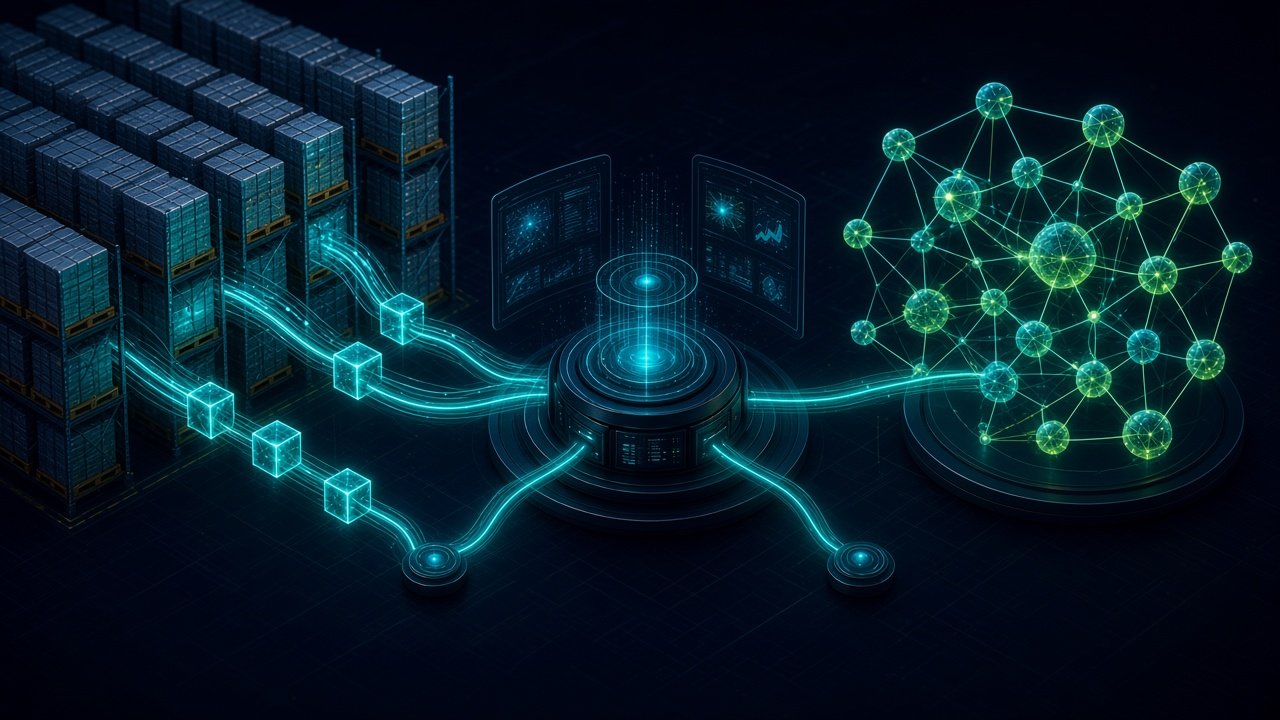
Odoo vs n8n for Wholesale Ops: Which Should You Choose?. Written by Adeem Adil Khatri at Zaps Studio.
TL;DR
- Fixed-price automations that pay for themselves in weeks, not quarters.
- Lead routing, quote follow-ups, and recovery flows with real ROI numbers.
- You own the system — no retainer lock-in to keep it running.
Odoo is usually the right foundation for wholesale operations because it manages products, purchasing, inventory, sales, accounting, and fulfillment in one ERP. n8n is usually the right companion because it connects Odoo with marketplaces, EDI, shipping, supplier, warehouse, and finance tools. For most wholesalers, the strongest design is Odoo plus n8n—not one replacing the other.
Is Odoo or n8n better for wholesale operations?
Choose Odoo when your business needs a central operational system with controlled records for stock, orders, customers, purchasing, accounting, and fulfillment.
Choose n8n when those records already live in reliable systems and the main problem is moving data, triggering actions, transforming records, or escalating exceptions between them.
The practical distinction is simple:
- Odoo is the system of record: it stores and governs operational transactions.
- n8n is the orchestration layer: it connects systems and automates what happens between them.
Odoo plus n8n is the common wholesale pattern: Odoo owns core transactions while n8n handles integrations and workflow logic.
That difference matters because a wholesaler cannot safely run inventory, purchasing, or credit control from a collection of loosely connected automations.
What does Odoo handle that n8n does not?
Odoo is an ERP and business application suite. Its modules cover products, purchasing, inventory, sales, accounting, CRM, eCommerce, and fulfillment.
For a distributor, that can mean:
Customer-specific price lists
Product and supplier records
Purchase orders and receipts
Stock movements and warehouse locations
Backorders and returns
Sales orders and invoices
Credit and payment controls
Accounting records
Multi-company or multi-warehouse processes
eCommerce and customer portals
n8n can trigger an Odoo purchase order when a supplier email arrives, synchronize an order from Shopify, or notify a buyer when stock falls below a threshold. It does not automatically provide the transactional model behind those activities.
This is why treating n8n as a cheaper ERP often creates hidden risk. The workflow may successfully move a number from one application to another while leaving no dependable system for stock valuation, audit history, order status, or financial reconciliation.
What does n8n add to an Odoo wholesale setup?
n8n is valuable when wholesale operations extend beyond the ERP.
Typical workflows include:
Importing marketplace orders into Odoo
Sending shipment updates from a carrier system
Pushing inventory availability to ecommerce channels
Syncing supplier catalogs and price files
Validating EDI or CSV data before import
Alerting a buyer when a supplier misses a delivery date
Creating finance review tasks for unusual invoices
Routing failed integrations to an operations queue
Sending low-stock or margin exceptions to the right person
Reconciling orders, payments, shipments, and refunds across systems
The best workflows do not simply “connect everything.” They define which platform owns each record and what happens when data conflicts.
For example:
- Odoo owns the sales order and inventory balance.
- The marketplace owns the customer checkout event.
- The carrier owns the tracking event.
n8n synchronizes the records and flags exceptions.
A human reviews conflicts that automation cannot safely resolve.
For practical examples, see these n8n workflow examples for B2B operations and five workflow automation quick wins for B2B teams.
What does Odoo and n8n cost in 2026?
Published prices are useful for planning, but they are not the full project cost.
Odoo Community: $0 license fee; hosting, implementation, upgrades, and support remain separate.
Odoo Standard: approximately $31.10 per user per month on the displayed 2026 pricing basis for all apps and Odoo Online.
Odoo Custom: approximately $61 per user per month on the displayed 2026 pricing basis, with additional deployment and customization options.
n8n Community: free self-hosted software with infrastructure and administration costs.
n8n Cloud Starter: €20 per month when billed annually, with approximately 2,500 workflow executions.
n8n Cloud Pro: €50 per month when billed annually, with approximately 10,000 workflow executions.
n8n Business: €667 per month when billed annually, with approximately 40,000 workflow executions.
n8n’s cloud plans are based on monthly workflow executions, regardless of workflow complexity. Odoo’s pricing is primarily user-based, so the two products should not be compared using a single monthly headline number.
Budget separately for:
Data cleanup and migration
Warehouse and purchasing configuration
EDI or marketplace integrations
Custom reports
Staff training
Hosting and backups
Monitoring and security
Ongoing workflow maintenance
Support during supplier, carrier, or marketplace changes
The Zaps Studio workflow automation pricing guide explains why implementation and maintenance often matter more than the software license. For current service options, see Zaps Studio pricing.
Which is easier to maintain: Odoo or n8n?
Odoo is easier to maintain when the process belongs inside the ERP. A sales order, inventory movement, purchase receipt, or invoice should normally be managed in the platform designed for that job.
n8n is easier to maintain when the process is a clear integration with defined inputs, outputs, and failure handling. It becomes harder to maintain when it is used as an invisible second ERP.
A maintainable wholesale architecture should include:
One source of truth for each important record
Named workflow owners
Retry and error-handling rules
Duplicate prevention
Audit logs
Credential rotation
Monitoring for failed executions
Documentation for every integration
A manual fallback for high-value transactions
At Zaps Studio, customer-floor n8n builds are delivered with the client’s source, credentials, and documentation. Delivery typically takes 2–4 weeks after an audit, depending on the number of systems and exceptions involved.
When should a wholesaler choose Odoo alone?
Odoo alone can be the right choice when:
Core operations are fragmented across spreadsheets
Inventory and purchasing need one controlled system
The company is replacing a basic accounting or order tool
The number of external integrations is limited
Staff need one interface for daily operations
Management needs consistent reporting across departments
The limitation is that Odoo alone may not cover every external channel elegantly. Marketplace, carrier, supplier, EDI, and warehouse integrations can still require connectors, custom development, or an orchestration layer.
A phased rollout is often safer:
- Define products, customers, suppliers, warehouses, and price rules.
- Configure purchasing, inventory, sales, and accounting.
- Migrate clean data and test real wholesale scenarios.
- Train staff on receiving, selling, returns, and exceptions.
- Add n8n workflows only after the core transaction model is stable.
When should a wholesaler choose n8n alone?
n8n alone can make sense when:
An ERP or order platform already owns core operations
The business needs integrations rather than a new system of record
Data must move between several specialized tools
The team has technical ownership for self-hosting or workflow maintenance
The company needs flexible exception handling
- The limitation is clear: n8n does not replace an ERP’s inventory, order, warehouse, accounting, purchasing, and audit model.
If your inventory is already reliable in NetSuite, Cin7, Unleashed, or another ERP, n8n can sit beside it. If inventory is currently spread across spreadsheets and inboxes, start by fixing the operational system before automating the fragmentation.
What are the best alternatives to Odoo and n8n?
ERPNext: An open-source ERP alternative for inventory, purchasing, sales, accounting, and manufacturing. It suits teams seeking a broad ERP with more control over the stack; pricing depends heavily on hosting and implementation, and migration still requires technical ownership.
Microsoft Dynamics 365 Business Central: A mature SMB and mid-market ERP with strong Microsoft ecosystem integration. It suits Microsoft-centric organizations; licensing and implementation can be more involved than lightweight tools.
Make: A managed visual automation platform that can replace n8n for teams prioritizing ease of use. It suits less technical operators; self-hosting and developer-level control are more limited.
QuoteWerks: Quoting software suited to distributor sales teams that need structured proposals. It can complement an ERP, but it is not a complete wholesale inventory and accounting system.
Zoho CRM: Budget-friendly CRM automation for teams focused on leads and customer follow-up. It is not a substitute for a full warehouse and purchasing model.
Respond.io: Omnichannel inbox and messaging automation for customer conversations. It can improve communications, but it does not manage ERP transactions or stock control.
Wati: WhatsApp-focused shared inbox and automation platform. It suits teams centered on WhatsApp, but it remains a messaging layer rather than a wholesale operations system.
How should you decide between Odoo, n8n, and both?
Use this decision sequence:
- List the records that must be authoritative. Include products, stock, orders, suppliers, customers, invoices, shipments, and payments.
- Choose the system of record. If core wholesale records are fragmented, evaluate Odoo or another ERP first.
- Map external systems. Identify marketplaces, EDI providers, carriers, supplier feeds, warehouse tools, and finance platforms.
- Mark repetitive handoffs. These are likely n8n candidates.
- Separate automation from judgment. Automate deterministic updates; route pricing, credit, inventory, and supplier exceptions to people.
- Estimate total ownership cost. Include software, implementation, hosting, monitoring, training, and maintenance.
- Pilot one high-value workflow. Measure errors avoided, processing time, and exception volume before expanding.
- Document ownership and recovery. Every workflow needs an owner, logs, retries, and a manual fallback.
The most useful first workflow is rarely the most complicated one. Start with a process that is frequent, measurable, and painful—such as order synchronization, shipment updates, supplier catalog imports, or quote follow-up. Zaps Studio also documents quote follow-up automation for wholesale distributors and lead routing automation for small B2B teams.
What is the recommended architecture for wholesale operations?
For most wholesalers, use:
- Odoo for products, customers, suppliers, purchasing, inventory, orders, accounting, and fulfillment.
- n8n for integrations, transformations, scheduled jobs, alerts, and exception routing.
- Specialist platforms for marketplaces, EDI, carriers, ecommerce, payments, and customer communications.
Human review for high-risk exceptions such as stock conflicts, credit holds, unusual margins, and failed financial reconciliation.
This architecture gives the ERP control of the business while allowing n8n to handle the messy edges around it.
It also leaves room for specialized operational products. For example, Shipment Ledger is designed for importer landed-cost operations, while WhatZaps supports customer-facing WhatsApp chat and voice workflows.
The short verdict is:
- Choose Odoo for the operational backbone.
- Choose n8n for cross-system automation.
- Choose Odoo plus n8n when wholesale operations need both control and connectivity.
- Choose neither as a shortcut around data cleanup, process design, or ownership.
That is the distinction this comparison should make clear: Odoo runs the wholesale business; n8n helps the business work across its software.
Keep reading
Workflow automation cost guide
USD/GBP bands for DIY, freelancer, and fixed-price builds.
OpenFixed-price packages
One workflow from $1,000. You keep the n8n source.
Open10 n8n workflow examples
Lead routing, CRM revival, quote follow-up, ecommerce ops.
Open5 B2B automation quick wins
The live how-to that pairs with most of these drafts.
Open
FAQ
Ready to automate your workflows?
Book a free 30-minute audit. We'll analyze your current workflows and identify automation opportunities that pay for themselves in weeks.