Blog
Manychat vs n8n for WhatsApp Ops: Which Should You Choose?
Manychat is faster for WhatsApp marketing flows; n8n is stronger for owned, connected operations workflows. Here is how to choose, price, and combine them in 2026.
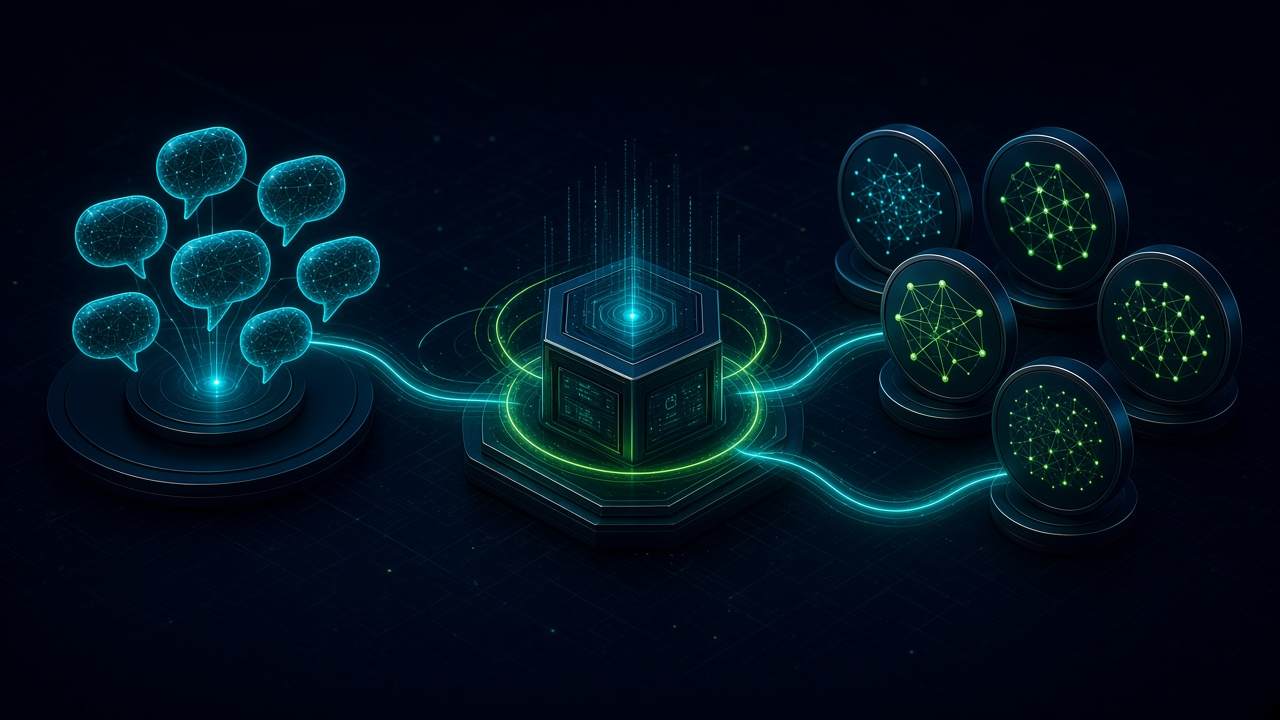
Manychat vs n8n for WhatsApp Ops: Which Should You Choose?. Written by Adeem Adil Khatri at Zaps Studio.
TL;DR
- Fixed-price automations that pay for themselves in weeks, not quarters.
- Lead routing, quote follow-ups, and recovery flows with real ROI numbers.
- You own the system — no retainer lock-in to keep it running.
Manychat is the faster choice for WhatsApp lead capture, broadcasts, opt-ins, and simple conversational flows. n8n is the better choice for connected operations: CRM updates, ticket routing, databases, internal alerts, AI pipelines, retries, and audit trails. They are not direct substitutes, and many teams use Manychat for the front end and n8n for the back office.
What is the difference between Manychat and n8n?
Manychat is primarily a customer-engagement layer. It gives marketers a visual builder for messages, triggers, campaigns, opt-ins, and conversational paths.
n8n is primarily an integration and orchestration layer. It connects APIs, webhooks, databases, CRMs, ticketing systems, spreadsheets, AI services, and internal tools in a workflow that your team can inspect and maintain.
That distinction matters more than a feature checklist:
- Manychat: faster campaign authoring and easier marketer ownership.
- n8n: deeper system connectivity and greater control over business logic.
- Manychat: better for a defined conversation.
- n8n: better for what happens before and after the conversation.
- Manychat: subscription-led and channel-focused.
- n8n: infrastructure-led, with hosting or implementation responsibility.
For a small team testing WhatsApp demand, Manychat usually gets the first flow live sooner. For an operations team trying to keep customer, order, lead, and service data synchronized, n8n usually becomes the stronger foundation.
When should you choose Manychat for WhatsApp?
Choose Manychat when the main job is customer-facing engagement rather than internal orchestration.
It suits teams that need to:
- Capture leads from campaigns.
- Collect opt-ins.
- Send approved broadcasts.
- Ask qualification questions.
- Route simple replies.
- Trigger a human handoff.
- Launch without engineering support.
- Let a marketing team edit flows directly.
Manychat’s visual interface is its main advantage. A campaign manager can build and adjust a flow without understanding database schemas, webhook authentication, queueing, or retry policies.
WhatsApp requires a Pro plan or higher in Manychat. Its current Pro pricing is listed at $39 per month, or $29 per month when billed annually, with plan availability varying by region. The Essential plan does not include WhatsApp.
Verdict: Manychat is best for marketing-led WhatsApp engagement.
Who it suits: Agencies, creators, ecommerce teams, and SMBs validating a straightforward WhatsApp funnel.
Pricing signal: From $39 per month monthly for Pro, before Meta messaging charges.
Limitation: Complex CRM state, deduplication, operational retries, and cross-system logic can become difficult to govern inside a marketer-first flow builder.
When should you choose n8n for WhatsApp operations?
Choose n8n when WhatsApp is one step in a larger operational process.
Typical examples include:
- Creating or updating a CRM record.
- Checking stock or order status.
- Assigning a lead by territory or service type.
- Opening a support ticket.
- Sending an internal alert to an on-call technician.
- Writing conversation events to a database.
- Calling an AI model and validating its output.
- Deduplicating contacts before creating records.
- Retrying failed API calls.
- Logging every decision for later review.
A WhatsApp message might be the trigger, but the real workflow could span a CRM, dispatch system, accounting platform, warehouse database, and human escalation path.
That is where n8n earns its place. It can expose the workflow logic instead of hiding it inside a channel-specific automation product. The trade-off is that someone must own hosting, credentials, monitoring, upgrades, error handling, and security.
Self-hosted n8n can have no software subscription cost, but “free” does not mean free to operate. A production workflow still needs backups, alerts, access controls, recovery procedures, and maintenance.
Verdict: n8n is best when WhatsApp must reliably move data through the business.
Who it suits: Operations-heavy SMBs, technical teams, and businesses with several systems to connect.
Pricing signal: Software cost can be $0 when self-hosted; hosted plans and implementation add recurring cost.
Limitation: n8n is not a polished WhatsApp campaign authoring tool, so non-technical teams may need support for everyday flow changes.
Can Manychat and n8n work together?
Yes. The strongest architecture is often a division of responsibilities rather than a winner-takes-all decision.
Manychat can manage:
- The opening WhatsApp conversation.
- Opt-in and consent prompts.
- Campaign-specific questions.
- Simple qualification.
- Customer-facing copy.
- Basic handoff messaging.
n8n can manage:
- CRM creation and enrichment.
- Lead assignment.
- Order and shipment lookups.
- Internal notifications.
- AI classification.
- Database writes.
- Human escalation.
- Retry and failure handling.
- Reporting and audit logs.
For example, a distributor could use Manychat to collect a product enquiry, then send the payload to n8n. n8n checks the CRM, identifies the account owner, creates a follow-up task, alerts the right salesperson, and records the outcome.
That front-end/back-end split avoids forcing one platform to do two different jobs.
At Zaps Studio, the same principle applies to customer-floor n8n automations. The client owns the n8n source, credentials, and documentation, rather than receiving an opaque automation that becomes difficult to leave or modify.
What does Manychat WhatsApp cost in 2026?
Manychat WhatsApp cost has two separate layers:
- The Manychat subscription.
- Meta’s WhatsApp messaging charges.
Manychat lists these 2026 plans:
- Pro: $39 per month, or $29 per month billed annually.
- Business: $99 per month, or $69 per month billed annually.
- Advanced: $199 per month, or $139 per month billed annually.
- Essential: $14 per month billed annually, but WhatsApp is unavailable on this plan.
Manychat says it passes Meta WhatsApp messaging rates through without adding a markup. Message cost depends on the template category and the recipient’s country code.
The practical model is:
- Marketing template messages are billable.
- Utility template messages may be billable depending on the applicable Meta rules and date.
- Non-template business messages are generally free inside an open customer-service window.
- Customer-initiated messages are not the same as outbound marketing templates.
- Country and message category can change the effective rate.
Manychat’s 2026 pricing guide gives market-specific USD rates. For example, its published table lists Argentina marketing messages at $0.0710 and utility messages at $0.0299 per delivered message. Do not use that figure as a universal WhatsApp rate.
Before committing, estimate:
- Monthly active contacts.
- Outbound marketing messages.
- Utility notifications.
- Recipient countries.
- Template approval requirements.
- Human handoff volume.
- Support and maintenance time.
For a broader implementation view, use the workflow automation cost guide rather than comparing subscription prices alone.
What does n8n WhatsApp automation cost in 2026?
n8n pricing depends on whether the workflow is hosted, self-hosted, or delivered as part of an implementation service.
The major cost categories are:
- n8n software: potentially $0 when self-hosted.
- Hosting: a recurring infrastructure charge.
- WhatsApp provider or API access: varies by provider and setup.
- Meta messaging: message-category and country-dependent.
- Implementation: workflow design, testing, credentials, and deployment.
- Maintenance: monitoring, updates, fixes, and changes to connected systems.
- Operations: backups, alerting, security, and incident response.
A simple workflow may be inexpensive to run but still take meaningful time to design correctly. A production workflow that handles customer records, order data, or emergency service requests needs stronger controls than a personal notification.
Zaps Studio’s workflow packages typically range from $1,000 to $3,000 per workflow and $3,000 to $12,000 per system. Delivery is usually two to four weeks after an audit. The client retains the n8n source, credentials, and documentation.
That ownership model is useful when the workflow becomes business infrastructure rather than a disposable experiment. See how the approach applies to lead routing for small B2B teams.
Which platform handles WhatsApp operations more reliably?
Reliability depends on the scope of the workflow, not only on the product name.
Manychat can be reliable for a bounded conversation with clear triggers and approved messaging. Reliability becomes harder when the same flow must coordinate several systems, preserve state, avoid duplicate records, and recover gracefully after an API failure.
n8n gives more control over those operational concerns, but it also makes the owner responsible for them. A poorly hosted n8n instance is not automatically more reliable than a well-managed Manychat flow.
A production design should define:
- What counts as a new contact.
- How consent is stored.
- How duplicate messages are handled.
- What happens when the CRM is unavailable.
- How failed executions are retried.
- When a human takes over.
- Which messages require approved templates.
- Where the conversation and workflow audit trail lives.
- Who receives an incident alert.
For after-hours home-services intake, WhatsApp may not be the right escalation channel for urgent calls. Zaps Studio’s AI voice intake service is designed around after-hours intake with live emergency handoff to an on-call technician. The voice offer starts at $500 setup and from $199 per month with 200 minutes included.
What are the best alternatives to Manychat and n8n?
Wati
Wati is a WhatsApp BSP and shared-inbox platform for teams that want channel-specific messaging, templates, and agent collaboration.
Verdict: A practical WhatsApp-first alternative for teams that want less infrastructure work.
Who it suits: Support and sales teams managing multiple WhatsApp agents.
Pricing signal: Public pricing varies by plan, contacts, messages, and region.
Limitation: It is less suitable than n8n as the central orchestration layer for complex internal systems.
AiSensy
AiSensy focuses on WhatsApp campaigns, automation, and business messaging, with particular strength in India-focused ecommerce use cases.
Verdict: A useful WhatsApp campaign platform when templates, broadcasts, and commerce engagement are the priority.
Who it suits: India-based ecommerce and marketing teams.
Pricing signal: Plan and messaging costs depend on the account, messaging usage, and Meta charges.
Limitation: It may require additional tooling for sophisticated CRM, database, and operational workflows.
Respond.io
Respond.io provides an omnichannel inbox, routing, team collaboration, and messaging automation.
Verdict: A strong choice when agents need one workspace across several messaging channels.
Who it suits: Support and sales teams handling multiple agents, channels, and routing rules.
Pricing signal: Subscription pricing depends on plan and usage structure.
Limitation: It is primarily a communications workspace, not a replacement for a full internal orchestration layer.
Make
Make is a visual integration platform that can connect WhatsApp providers with SaaS applications.
Verdict: A lighter visual alternative to n8n for straightforward integrations.
Who it suits: Teams that want no-code or low-code SaaS connections without self-hosting.
Pricing signal: Recurring usage-based subscription.
Limitation: Complex workflows can become harder to test, version, and govern as scenario count grows.
What do Manychat and n8n get wrong about WhatsApp operations?
The biggest mistake is comparing features without comparing operating models.
Manychat and n8n solve different layers:
- Manychat manages customer engagement.
n8n coordinates business systems.
WhatsApp introduces Meta policy, template, consent, and conversation-window constraints.
Both platforms still require message-cost modeling.
Neither eliminates the need for ownership and monitoring.
A second mistake is treating self-hosted n8n as free in practice. Hosting may be inexpensive, but credentials, backups, upgrades, queueing, monitoring, security, retries, and incident response consume time and budget.
A third mistake is assuming that a visual flow remains simple after it handles:
- CRM state.
- Consent.
- Human handoff.
- Deduplication.
- Failed requests.
- Multiple languages.
- Several countries.
- AI-generated responses.
- Audit requirements.
- Start with the operating question: is WhatsApp primarily a marketing channel, or is it an entry point into a business process?
- If it is marketing, start with Manychat or a WhatsApp-first platform such as Wati or AiSensy.
If it is operational, start with the systems, states, owners, and failure paths, then use n8n or an implementation partner to connect them.
How should a business choose between Manychat and n8n?
Use this decision sequence:
- Define the first WhatsApp outcome. Choose lead capture, campaign replies, support, order updates, service intake, or internal routing.
- List the systems involved. Include the CRM, helpdesk, database, ERP, dispatch tool, payment system, and notification channels.
- Separate front-end and back-end work. Put conversation design in Manychat or a WhatsApp inbox; put orchestration in n8n where necessary.
- Model Meta charges separately. Estimate message categories, countries, templates, and monthly volume.
- Specify human handoff. Decide who receives the escalation and what context they need.
- Design failure handling. Include retries, duplicate prevention, alerts, and a manual fallback.
- Assign ownership. Confirm who owns the account, phone number, credentials, workflow source, documentation, and maintenance.
- Pilot one workflow. Start with one measurable process rather than automating every WhatsApp interaction.
- Measure operational results. Track response time, qualified leads, missed handoffs, duplicate records, and time saved.
- Expand only after the first workflow is stable. Add order lookups, CRM enrichment, AI classification, or additional teams after the foundations work.
Zaps Studio builds these systems for ops-heavy SMBs, with an emphasis on client ownership and practical delivery. You can review the current Zaps Studio pricing or see a WhatsApp order-tracking workflow without extra headcount.
Which platform is the final recommendation?
Choose Manychat when speed, visual campaign building, and marketer ownership matter most.
Choose n8n when WhatsApp must connect reliably to operational systems and remain maintainable as the business grows.
Use both when the customer-facing conversation needs a friendly marketing layer but the business also needs owned workflows for CRM updates, routing, records, alerts, and recovery.
That is the real Manychat-versus-n8n decision: not which tool has more features, but which layer of WhatsApp operations each tool should own.
Keep reading
Workflow automation cost guide
USD/GBP bands for DIY, freelancer, and fixed-price builds.
OpenFixed-price packages
One workflow from $1,000. You keep the n8n source.
Open10 n8n workflow examples
Lead routing, CRM revival, quote follow-up, ecommerce ops.
Open5 B2B automation quick wins
The live how-to that pairs with most of these drafts.
Open
FAQ
Ready to automate your workflows?
Book a free 30-minute audit. We'll analyze your current workflows and identify automation opportunities that pay for themselves in weeks.