Blog
Shipment Milestone Alerts Buyers Can Trust
Wholesale buyers need shipment milestone alerts tied to purchase orders, inventory, and clear next actions—not a stream of generic tracking scans.
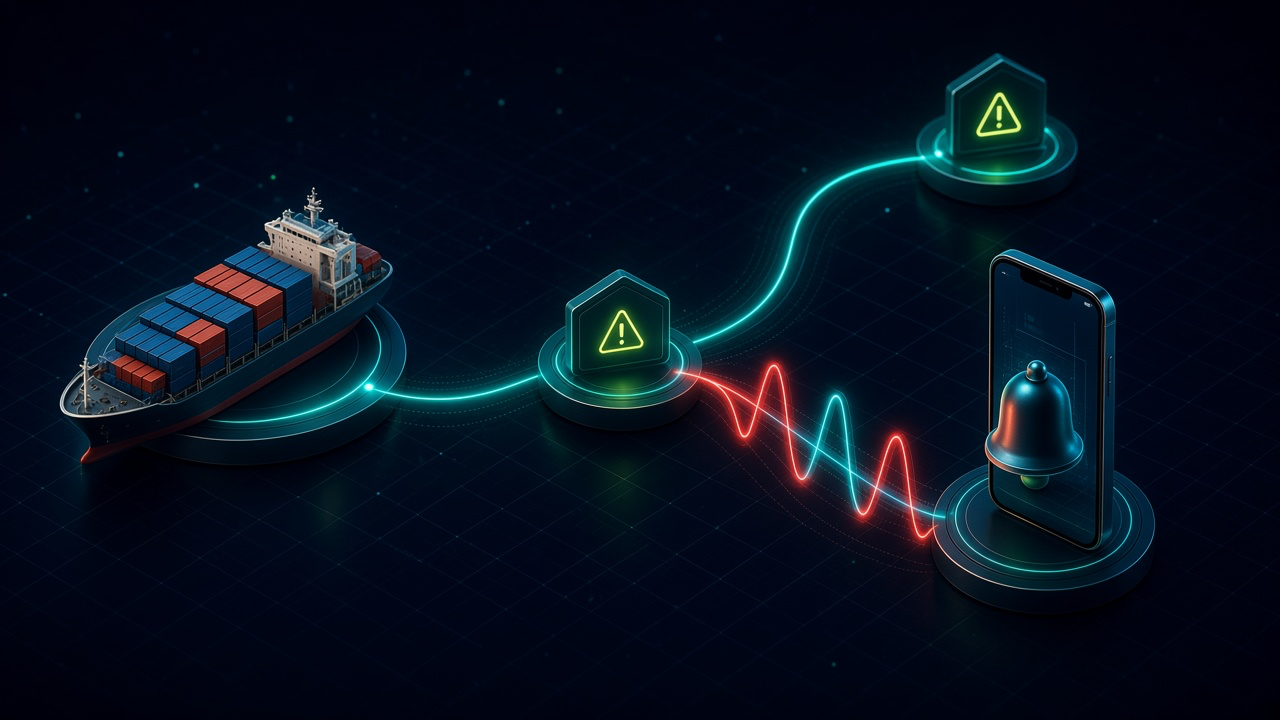
Shipment Milestone Alerts Buyers Can Trust. Written by Adeem Adil Khatri at Zaps Studio.
TL;DR
- Fixed-price automations that pay for themselves in weeks, not quarters.
- Lead routing, quote follow-ups, and recovery flows with real ROI numbers.
- You own the system — no retainer lock-in to keep it running.
Shipment milestone alerts for wholesale buyers should highlight business-impacting events—not every carrier scan. The useful setup connects normalized carrier updates to purchase orders, SKUs, warehouses, and customer accounts, then routes ETA changes, customs holds, missed appointments, and delivery confirmations to the person who can act.
What should shipment milestone alerts tell wholesale buyers?
A wholesale buyer usually does not need a notification for every movement. They need to know whether stock will arrive when promised, whether a delivery slot has been missed, and what action is required.
A practical alert includes:
Purchase-order or shipment reference
Supplier, carrier, and transport mode
Current normalized milestone
Last event timestamp
Original ETA and revised ETA
Affected SKU, warehouse, branch, or customer
Exception severity
Named owner and next action
Carrier systems use inconsistent language. One may report “vessel departed,” another “loaded on vessel,” and another “in transit.” A workflow should map those events into a shared status layer such as booked, picked up, departed, customs hold, out for delivery, delivered, and delayed.
This is why milestone alerting is better treated as B2B exception management than as a parcel-tracking feature. Supply-chain visibility platforms typically combine shipment events with exception dashboards, predictive ETAs, and operational workflows rather than simply displaying a tracking page.
For background on connected operations, see Zaps Studio’s workflow automation resources.
Which milestones matter most for wholesale operations?
The right triggers depend on your lanes and products, but most wholesale teams should begin with a small set of events:
- Booking confirmed — Confirm that the supplier or forwarder has created the shipment.
- Pickup completed — Verify that goods have left the supplier.
- Departure recorded — Start the expected transit clock.
- ETA changed — Compare the revised ETA with the promised date and receiving window.
- Customs hold or documentation issue — Escalate before the delay becomes a stockout.
- Missed appointment window — Notify the warehouse or receiving team.
- Out for delivery — Prepare the destination team for receipt.
- Delivered — Update the order and inventory workflow.
- Scan silence — Escalate when no event arrives for a defined period.
The strongest workflows connect each milestone to the commercial record. A delayed container should not merely generate an email; it should identify the purchase order, affected products, expected stock date, and account owner.
That connection lets a team decide whether to:
Rebook a receiving appointment
Update the customer promise date
Split an order
Source temporary stock
Contact the carrier
Escalate a customs document
Inform sales about a likely shortage
A delivery exception alert should always include a next step. Zaps Studio’s wholesale delivery exception workflow guide uses the same principle: connect the event to an owner, customer impact, and resolution action.
How do you build a shipment milestone alert workflow?
- Define the business events first.
Start with five to nine events that affect purchasing, receiving, inventory, or customer commitments. Avoid importing every available carrier scan.
- Collect shipment data from the right sources.
Depending on your operation, that may mean carrier APIs, freight-forwarder feeds, EDI, email attachments, webhooks, or manual status files.
- Normalize the event names.
Map inconsistent carrier statuses into a shared internal vocabulary. Include a fallback status such as “unmapped event” so new carrier messages do not disappear silently.
- Match shipments to business records.
Link the shipment to a purchase order, supplier, SKU, warehouse, customer, and expected delivery date. Matching may use a booking number, container number, order number, or supplier reference.
- Calculate business impact.
Compare the new ETA with the promised date, receiving appointment, reorder point, or customer commitment. A two-day delay may be harmless for one order and urgent for another.
- Route the alert by exception type.
Send routine milestone updates by email or portal. Create an ERP task, ticket, webhook, or team escalation for customs holds, ETA slips, damaged freight, and missed appointments.
- Add an acknowledgement path.
- The owner should be able to mark the alert as acknowledged, resolved, awaiting carrier response, or escalated.
- Measure the workflow.
Track alert volume, response time, resolution time, recurring carriers, missed milestones, and false positives. Those measures show whether the workflow reduces operational risk.
For many UK, US, and Canadian SMBs, n8n is useful because the workflow can sit between carrier data, ERP records, spreadsheets, email, and internal messaging without forcing a complete system replacement. Zaps Studio delivers customer-owned n8n source, credentials, and documentation after an audit, usually within two to four weeks.
What does shipment milestone alert software cost in 2026?
Pricing depends on shipment volume, transport modes, carrier coverage, data sources, and the depth of ERP or WMS integration.
Basic parcel tracking: roughly $20–$200 per month for tracking and customer notifications.
Small freight or ocean visibility: from approximately $200 per month in some comparison data.
Mid-market visibility: often tens of thousands of dollars annually once freight integrations and exception management are included.
Enterprise multimodal platforms: commonly use custom annual contracts. Directional 2026 comparisons place project44 around $100,000–$500,000 or more annually and FourKites around $80,000–$400,000+, depending on volume and modules.
Implementation: EDI, ERP/WMS integration, carrier onboarding, data normalization, and custom rules can materially increase total cost.
These enterprise figures are estimates, not official price cards. FourKites and project44 both use quote-based pricing, and implementation is scoped separately.
For a focused custom workflow, Zaps Studio’s fixed-price packages are typically $1,000–$3,000 per workflow. A broader connected system is usually $3,000–$12,000, with retainers from $500 per month. The workflow automation pricing guide explains what changes the scope.
Which shipment tracking alternatives should wholesale buyers compare?
Shippo
Verdict: Best for API-led parcel shipping and smaller technical teams.
Pricing signal: Public plans and usage-based charges are generally more accessible than enterprise freight-visibility contracts.
Limitation: It is less suitable for complex PO-level exception orchestration across ocean, freight, customs, and warehouse operations.
Who it suits: Businesses focused on parcel labels, tracking, and basic notifications.
AfterShip
Verdict: Strong for branded post-purchase tracking and customer notifications.
Pricing signal: Tiered subscription pricing varies by shipment volume and feature set.
Limitation: It is not a replacement for a full freight-control workflow covering containers, receiving appointments, customs, and purchasing actions.
Who it suits: Ecommerce and parcel-heavy teams that want a customer-facing tracking experience.
project44
Verdict: A serious option for enterprise multimodal shipment visibility.
Pricing signal: Custom, shipment-volume-based contracts; directional comparisons often place larger deployments in the six-figure annual range.
Limitation: Pricing and implementation are opaque, and integration work can be substantial.
Who it suits: Large shippers with complex networks, dedicated logistics teams, and a sizeable integration budget.
FourKites
Verdict: Suited to large shippers needing predictive ETA and broad transport visibility.
Pricing signal: Quote-based annual contracts with separately scoped implementation and modules.
Limitation: It has no public standard price list, and output quality depends partly on carrier data quality and compliance.
Who it suits: Large retail, CPG, and manufacturing networks.
Wati
Verdict: Useful when WhatsApp is the preferred channel for customer or operations notifications.
Pricing signal: Subscription pricing varies by plan, users, and WhatsApp conversation usage.
Limitation: It is a WhatsApp BSP and shared inbox, not a dedicated multimodal shipment-visibility platform.
Who it suits: Teams that already have normalized shipment events and need a WhatsApp delivery channel. See Wati’s official product page.
Respond.io
Verdict: Strong for omnichannel inboxes and routing conversations to agents.
Pricing signal: Plans are generally based on users, features, and message usage.
Limitation: It does not replace carrier normalization, PO matching, inventory logic, or freight exception calculations.
Who it suits: Customer-service teams that need to manage conversations after an alert is generated. See Respond.io’s official product page.
Why do shipment alert projects fail?
Most failures are not caused by the notification channel. They happen earlier in the data and process design.
The team tracks scans instead of business milestones. More events create more noise without improving decisions.
Shipment records cannot be matched reliably. Missing purchase-order, container, or supplier references leave alerts disconnected from action.
The workflow assumes carrier data is always current. Data freshness depends on APIs, EDI, carrier compliance, GPS, scans, and transport mode.
Every delay is treated equally. A late shipment needs a severity score based on stock, customer commitments, and receiving windows.
Alerts have no owner. An unassigned warning becomes shared inbox noise.
The workflow has no fallback. API outages, unmapped statuses, duplicate events, and missing scans need their own handling rules.
The project starts with a platform purchase instead of an operating design. A visibility platform cannot decide your escalation policy for you.
A reliable first release usually covers one transport mode, one or two carriers, a defined set of purchase orders, and a small number of high-value exceptions. Expand only after the team can measure response and resolution.
When should a wholesale business build a custom workflow?
Choose a custom workflow when the requirement is specific to your operation: linking carrier milestones to purchase orders, calculating stockout risk, routing exceptions to named owners, or updating an existing ERP and warehouse process.
Choose a dedicated visibility platform when you need broad carrier coverage, multimodal tracking, predictive ETA at network scale, supplier onboarding, and a central control tower.
The decision is not “automation versus software.” It is whether the business needs a general visibility product or an operational layer fitted to its current systems.
Zaps Studio’s preferred order is practical:
- Build the customer-floor n8n automation for the operational bottleneck.
- Add WhatZaps when WhatsApp chat or voice is a useful channel.
- Use Shipment Ledger for importer landed-cost operations.
- Commission a custom MVP only when the workflow cannot meet the requirement.
That approach keeps ownership with the client and avoids turning a manageable alert problem into an oversized software programme. See the Shipment Ledger product page if landed cost, importer records, and shipment data need to be connected.
What should buyers ask before choosing a shipment alert solution?
Ask these questions before comparing feature lists:
Can the system match carrier events to purchase orders and SKUs?
Which carriers, forwarders, EDI formats, and transport modes are supported?
How are customs holds, ETA drift, missed appointments, and scan silence represented?
Can alerts create tasks in the ERP, WMS, helpdesk, or CRM?
Can each exception have an owner, severity, acknowledgement, and resolution state?
What happens when a carrier event is duplicated, late, unmapped, or missing?
Are implementation, carrier onboarding, integrations, and premium support included?
Can the business export its data and retain control of workflow credentials?
What measurable outcome will define success after 30, 60, and 90 days?
The best shipment milestone alert is not the one with the most integrations. It is the one that gives the right wholesale operator enough context to make the next decision before a delay becomes a stockout, missed customer commitment, or warehouse disruption.
For a UK wholesale team assessing that first workflow, start with the Zaps Studio pricing page and define the highest-cost exception before selecting the technology.
Keep reading
Workflow automation cost guide
USD/GBP bands for DIY, freelancer, and fixed-price builds.
OpenFixed-price packages
One workflow from $1,000. You keep the n8n source.
Open10 n8n workflow examples
Lead routing, CRM revival, quote follow-up, ecommerce ops.
Open5 B2B automation quick wins
The live how-to that pairs with most of these drafts.
Open
FAQ
Ready to automate your workflows?
Book a free 30-minute audit. We'll analyze your current workflows and identify automation opportunities that pay for themselves in weeks.