Blog
Meeting Notes to CRM Follow-Ups Without Manual Copy-Paste
Turn meeting recordings into structured CRM notes, assigned follow-up tasks, due dates, and reviewed email drafts without relying on manual copy-paste.
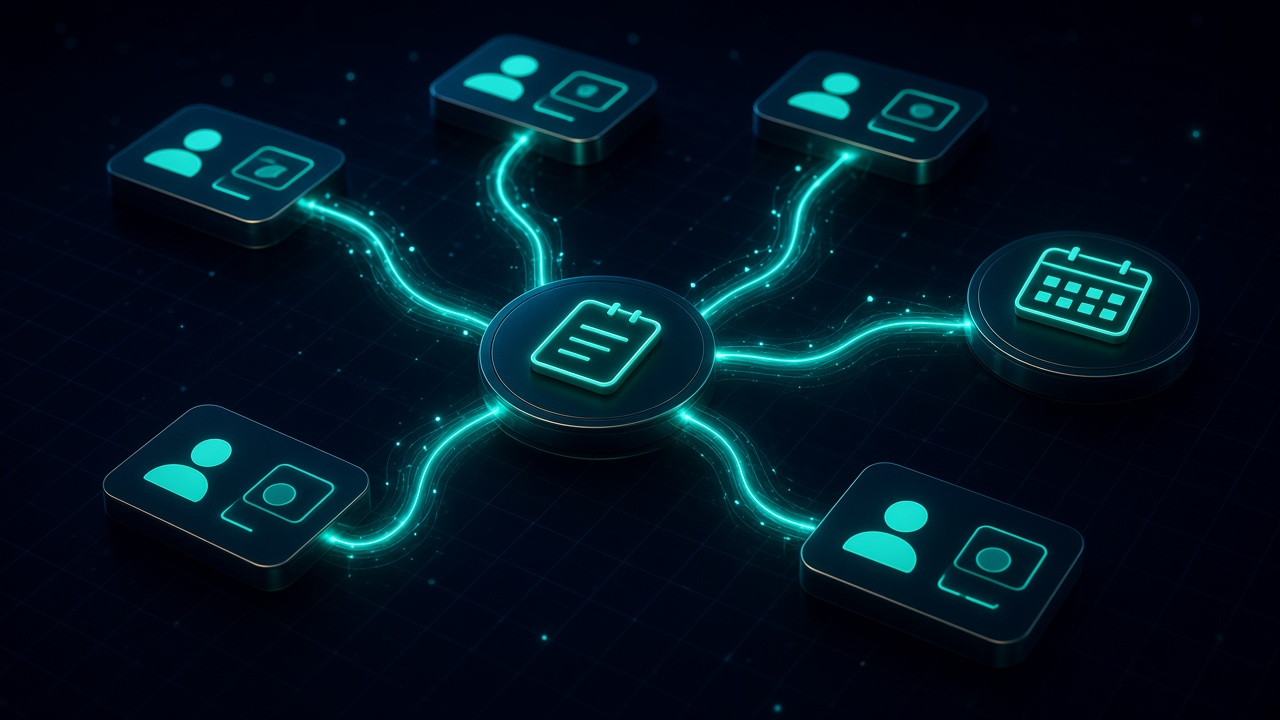
Meeting Notes to CRM Follow-Ups Without Manual Copy-Paste. Written by Adeem Adil Khatri at Zaps Studio.
TL;DR
- Fixed-price automations that pay for themselves in weeks, not quarters.
- Lead routing, quote follow-ups, and recovery flows with real ROI numbers.
- You own the system — no retainer lock-in to keep it running.
Meeting-note automation should do more than produce a polished summary: it should identify commitments, match them to the correct contact or deal, create accountable CRM tasks, and prepare the next customer touchpoint. A reliable workflow can reduce copy-paste while keeping a human approval step for uncertain or customer-facing actions.
What should meeting-to-CRM automation actually do?
A useful workflow converts unstructured conversation into operational records:
-
Capture the meeting recording, transcript, or notes.
-
Create a concise summary with decisions and risks.
-
Extract action items, owners, deadlines, and dependencies.
-
Match the meeting to the correct company, contact, and opportunity.
-
Write the summary and structured fields back to the CRM.
-
Create tasks with owners and due dates.
-
Draft a follow-up email or internal handover.
-
Route uncertain or duplicate records to a person for review.
This distinction matters. A summary sitting in a note-taking app is not the same as a completed CRM follow-up. The workflow is only successful when the right person receives the right task, attached to the right deal, at the right time.
Sales guidance commonly recommends connecting meeting capture directly to CRM records and tracking action items rather than treating transcription as the end result.
How does the workflow connect meeting notes to the correct CRM record?
The safest approach is to match records in stages rather than trusting the meeting title.
A practical n8n workflow can use:
Calendar event ID and attendee email addresses as the first matching signals.
Customer domain and company name as secondary identifiers.
Existing opportunity or account ownership to resolve multiple open records.
Fuzzy name matching only as a suggestion, never as the sole basis for a write-back.
A confidence score that sends ambiguous matches to an approval queue.
For example, “Acme review call” may relate to an account with three contacts and two open opportunities. A workflow that searches only for “Acme” can attach the notes to the wrong deal. Email domains, attendee lists, meeting owner, and recent CRM activity provide stronger evidence.
The output should include the matched record ID, match method, confidence level, and any warning. That makes the automation auditable when a salesperson asks why a task appeared on a particular opportunity.
Which CRM fields and tasks should the automation create?
Start with a small, useful field set. Over-automating every available CRM field makes errors harder to detect.
Recommended write-backs include:
Meeting date and meeting type.
Short summary.
Customer priorities and objections.
Decisions made.
Next step.
Task owner.
Due date.
Related contact, company, and deal IDs.
Follow-up status.
Review or confidence flag.
An extracted commitment should become a task with an accountable owner and a date. “Send technical specification” is operational; “discuss internally” is not unless the workflow can identify who owns it and when it is due.
Where the conversation supports it, the automation can also draft an email containing the agreed next step. Keep the draft separate from the CRM task so a manager can review the wording before anything leaves the business.
What controls prevent bad CRM updates?
Human review belongs at the boundaries of the workflow, not necessarily in every routine step.
Add a review gate when:
The contact or deal match is below the confidence threshold.
Two records have similar names or domains.
The transcript contains conditional language such as “we might” or “we need to check.”
The proposed action changes pricing, delivery dates, legal terms, or scope.
The extracted deadline is missing or appears inconsistent.
The workflow is about to send an external message.
A duplicate task already exists.
Use idempotency keys to prevent a rerun from creating duplicate notes or tasks. A suitable key might combine the meeting ID, CRM record ID, and action-item identifier.
Keep an execution log containing the source meeting, extracted fields, CRM responses, reviewer decision, and timestamp. This is especially valuable when several team members use different calendars or when the CRM has strict ownership rules.
How can you build this in n8n?
A straightforward implementation can be built as the following sequence:
-
Trigger from the meeting source. Start with a calendar event, recording completion webhook, uploaded transcript, or structured meeting form.
-
Retrieve the source content. Fetch the transcript or notes and preserve the original text for audit purposes.
-
Extract structured information. Ask the model for JSON containing summary, decisions, action items, owners, deadlines, risks, and follow-up draft.
-
Validate the response. Reject missing fields, invalid dates, unknown owners, and malformed JSON before touching the CRM.
-
Search the CRM. Find contacts, companies, and deals using attendee emails, domains, and existing identifiers.
-
Score the match. Continue automatically only when the record match meets the agreed confidence threshold.
-
Check for duplicates. Search for an existing meeting note or task using the meeting ID and action-item key.
-
Write the meeting note. Add the summary and structured data to the matched contact, company, or deal.
-
Create follow-up tasks. Assign each action to the correct owner and set a due date.
-
Request approval where needed. Send uncertain matches and external drafts to a Slack, email, or internal approval queue.
-
Send or schedule approved follow-up. Only after approval should the workflow send a customer-facing message.
-
Record the outcome. Store success, failure, reviewer decisions, and links to the resulting CRM records.
This pattern works with HubSpot, Salesforce, Pipedrive, Zoho CRM, and other systems that expose suitable APIs or connectors. It also fits alongside broader lead-routing automation for small B2B teams when meeting outcomes need to change ownership.
Which tools are alternatives to a custom n8n workflow?
Fathom — Best for teams wanting a simple meeting recorder with summaries and action items; a free tier is available and paid plans are commonly listed around $15 per user monthly. Its limitation is that deeper cross-app automation may require an additional connector or workflow layer.
Fireflies.ai — Suits teams that need searchable transcripts, broad meeting-platform support, and CRM logging; paid plans are commonly listed from roughly $10 per user monthly on annual billing. Its limitation is that advanced CRM field mapping and automation can depend on the plan.
Avoma — A stronger fit for sales teams needing conversation intelligence, coaching, CRM synchronization, and follow-up workflows; cited plans commonly start around $19 per recorder monthly, with higher tiers available. Its limitation is higher cost and complexity than a basic meeting-note tool.
HubSpot — Suitable when the CRM, routing, and sales activity already live in one platform; its limitation is that advanced automation and CRM features can require higher-tier subscriptions.
Respond.io — Useful for teams managing omnichannel conversations and routing; its limitation is that it is primarily an inbox and messaging platform, not a complete meeting-to-CRM implementation.
Wati — A practical option for WhatsApp-focused shared inbox workflows; its limitation is that it is tied to WhatsApp Business Platform use cases and does not replace full CRM record-matching logic.
A custom workflow is more appropriate when the process spans several systems, requires approval rules, or must write precise fields and tasks into a CRM. Zaps Studio delivers customer-floor n8n automations for ops-heavy SMBs rather than selling a generic note-taking subscription.
How much does meeting-to-CRM automation usually cost in 2026?
Software-only pricing commonly falls into four bands:
Free or low-cost: Free plans may cover basic recording, transcription, and summaries; paid entry plans often sit around $8–$20 per user monthly.
Standard sales-team tier: Approximately $20–$40 per user monthly is common for stronger CRM connections, searchable history, and action-item workflows.
Advanced revenue automation: Roughly $40–$70 per user monthly is typical where conversation intelligence, coaching, and broader sales workflows are included.
Enterprise: Custom pricing is common where Salesforce administration, compliance, governance, analytics, or high-volume processing is required.
Published comparisons list examples such as Fireflies plans from around $10 per user monthly annually, Avoma from around $19 per recorder monthly, and higher tiers for CRM and revenue features.
Those seat prices do not necessarily include implementation, CRM editions, usage limits, premium connectors, storage, or approval workflows. For a fuller view of implementation economics, see Zaps Studio’s workflow automation cost guide.
At Zaps Studio, fixed-price delivery is typically $1,000–$3,000 per workflow or $3,000–$12,000 per system, with retainers from $500 per month. Delivery usually takes two to four weeks after the audit. Clients own the n8n source, credentials, and documentation.
When should a business choose custom automation instead of a meeting-note app?
Choose a meeting-note product when the main problem is recording, transcription, summaries, or lightweight CRM logging.
Choose custom n8n automation when the workflow must:
Match meetings against complex account and opportunity structures.
Create tasks across different CRM objects.
Apply custom ownership and due-date rules.
Require approval before sending messages.
Deduplicate notes and tasks across repeated meetings.
Combine CRM, calendar, email, project management, and internal systems.
Produce an audit trail for every automated change.
The difference is operational ownership. A meeting assistant produces useful information; a custom workflow turns that information into controlled work.
Zaps Studio’s broader delivery model is built for UK, US, and Canadian ops-heavy SMBs. The agency also supports adjacent processes such as CRM revival for dormant B2B contacts and quote follow-up automation for wholesale distributors.
What should you measure after launch?
Track outcomes instead of transcription quality alone:
Percentage of meetings matched to the correct CRM record.
Percentage of extracted tasks with an owner and due date.
Duplicate task rate.
Human-review rate.
Time from meeting end to CRM write-back.
Follow-up completion rate.
Approved versus rejected customer-message drafts.
Opportunities with a documented next step.
Revenue or conversion impact over an agreed comparison period.
A useful first target is not “100% automated.” It is reliable automation for the high-confidence cases, with clear routing for everything else.
The strongest implementation leaves salespeople with fewer administrative steps while preserving visibility and control. Meeting notes become useful only when they lead to accountable CRM work.
Sources
Fireflies, “Best AI Meeting Assistants” and CRM automation comparisons.
Fireflies, “Best AI Notetaker for Customer Success Teams.”
Avoma, “Best AI Note Taker” and meeting-assistant comparisons.
Cirrus Insight, “AI Meeting Note Takers.”
Zapier, “The Best AI Meeting Assistants.”
Monday.com, “CRM Meeting Notes.”
Keep reading
Workflow automation cost guide
USD/GBP bands for DIY, freelancer, and fixed-price builds.
OpenFixed-price packages
One workflow from $1,000. You keep the n8n source.
Open10 n8n workflow examples
Lead routing, CRM revival, quote follow-up, ecommerce ops.
Open5 B2B automation quick wins
The live how-to that pairs with most of these drafts.
Open
FAQ
Ready to automate your workflows?
Book a free 30-minute audit. We'll analyze your current workflows and identify automation opportunities that pay for themselves in weeks.