Blog
Landed Cost Per Shipment Without Buying an ERP
Calculate and reconcile landed cost per shipment without buying NetSuite, Odoo, or another ERP using a structured n8n workflow.
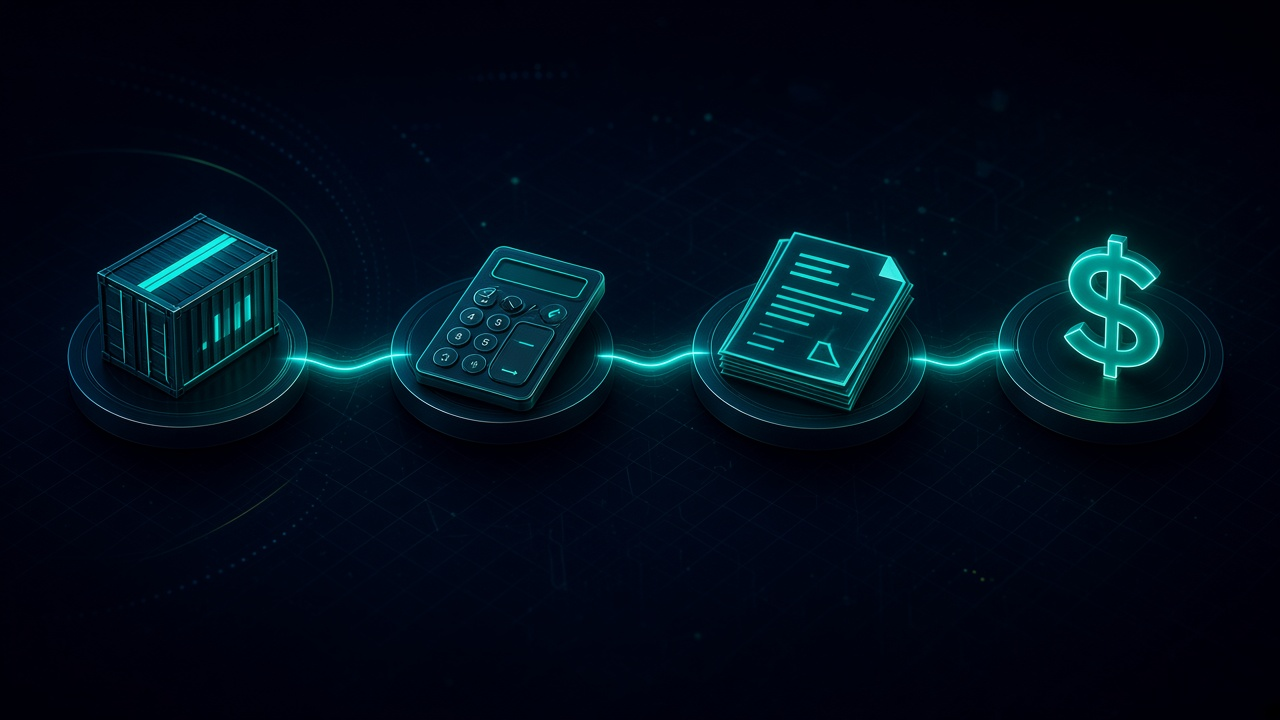
Landed Cost Per Shipment Without Buying an ERP. Written by Adeem Adil Khatri at Zaps Studio.
TL;DR
- Fixed-price automations that pay for themselves in weeks, not quarters.
- Lead routing, quote follow-ups, and recovery flows with real ROI numbers.
- You own the system — no retainer lock-in to keep it running.
You can calculate landed cost per shipment without buying NetSuite, Odoo, or another ERP. Capture supplier, freight, duty, insurance, broker, port, handling, and delivery charges, allocate them to each SKU using defensible rules, then reconcile estimates against actual invoices in a spreadsheet or automated n8n workflow.
What is landed cost per shipment?
Landed cost is the total cost of getting imported goods from the supplier to your warehouse—not merely the supplier price plus freight. It can include product cost, international freight, insurance, customs duty, brokerage, port or terminal charges, storage, handling, inspection, inland delivery, and other accessorials.
The operational output is usually landed cost per unit or SKU. A shipment-level total is useful for finance, but buyers and commercial teams need to know what each product actually cost before pricing, replenishment, or margin decisions.
A simple calculation is:
[
Landed cost per unit =
\frac{product cost+allocated shipment charges}{units}
]
For example, suppose a shipment contains:
1,000 units at $12 each: $12,000
Ocean freight: $1,800
Insurance: $120
Customs duty: $1,200
Brokerage: $250
Port, handling, and inland delivery: $630
The shipment’s landed cost is $16,000, or $16 per unit if every unit shares the same allocation basis. That final assumption matters: mixed shipments often require different allocation methods by charge.
Can you calculate landed cost without an ERP?
Yes. A practical ERP-free process can use a controlled spreadsheet, shared database, document extraction, email intake, broker portals, and an automation layer. The technology is less important than maintaining a complete charge register, consistent allocation rules, and an audit trail.
A spreadsheet is usually enough when:
Shipments are occasional.
Each shipment has few SKUs.
Freight and duty invoices arrive in a predictable format.
One person owns the calculation.
Finance does not need automated posting.
A workflow becomes worthwhile when:
Several shipments arrive every month.
Charges are split across supplier, forwarder, broker, warehouse, and carrier documents.
Actual invoices regularly differ from estimates.
Product costs are needed before the month-end close.
Different teams need the same shipment status and cost result.
This is the distinction often missed in ERP comparisons: an ERP may provide broader accounting, procurement, and inventory controls, but it is not the only way to create a reliable landed-cost process.
Which costs should be included?
Start with a shipment charge register. Do not add only the costs that are easiest to find.
| Cost category | Typical examples | Common allocation basis |
|---|---|---|
| Product | Supplier invoice, purchase price | Line value or units |
| Freight | Ocean, air, rail, courier, fuel surcharge | Weight, chargeable weight, volume, or value |
| Insurance | Cargo or marine insurance | Shipment value or insured value |
| Duty and tariffs | Customs duty, additional tariffs | Customs value, often line value |
| Customs | Broker fees, clearance, inspection | Value, units, or equal share |
| Port and terminal | Port fees, demurrage, drayage | Weight, volume, container, or equal share |
| Warehouse and delivery | Local transport, unloading, storage, 3PL preparation | Units, pallets, weight, volume, or value |
| Other accessorials | Documentation, examination, handling, rework | The operational driver that caused the charge |
The correct basis depends on the charge. LandedCost.co, for example, describes allocation methods based on volume, weight, chargeable weight, units, value, or equal distribution. A freight charge allocated purely by unit count can distort results when one SKU is heavy and another is lightweight.
How do you allocate shipment charges to each SKU?
Use a separate rule for each cost type rather than applying one blanket percentage.
-
Create the shipment record. Assign a shipment ID, supplier, purchase order, container or airway bill number, currency, departure date, arrival date, and expected warehouse date.
-
Load the SKU lines. Record SKU, description, quantity, supplier unit cost, line value, weight, volume, and tariff classification where available.
-
Record estimated charges. Add quoted freight, expected duty, insurance, brokerage, port fees, and inland delivery.
-
Choose the allocation basis. Use value for many customs calculations, weight or chargeable weight for freight, units for per-item fees, and volume where cubic capacity drives the cost.
-
Calculate line allocations. For a value-based charge, use:
[
SKU charge =
shipment charge
\times
\frac{SKU basis}{total shipment basis}
]
-
Calculate landed cost per unit. Add the SKU’s product value and allocated charges, then divide by its quantity.
-
Replace estimates with actuals. Match broker, carrier, warehouse, and supplier invoices to the shipment.
-
Reconcile the variance. Record the difference between estimated and actual cost, the reason, and the date of adjustment.
-
Lock the result. Preserve the source documents, calculation version, approver, and final landed cost.
For example, a $2,000 freight charge might be allocated by chargeable weight, while a $1,500 duty charge might be allocated by customs value. Merchantflow describes the same principle: different shipment charges can use different bases, with each line receiving its proportional share.
How can n8n automate landed cost without an ERP?
At Zaps Studio, I would build this as a small operational system rather than a large ERP replacement. The workflow can begin with a shipment form, inbox, spreadsheet row, or purchase-order event and end with a reconciled SKU-level cost.
A typical n8n workflow looks like this:
-
Create or update the shipment. Receive the shipment ID and purchase-order data from a form, spreadsheet, ecommerce platform, or existing operations tool.
-
Collect source documents. Watch a designated inbox or folder for supplier invoices, freight invoices, customs entries, broker statements, and warehouse charges.
-
Extract structured fields. Parse invoice number, supplier, currency, subtotal, tax, charge category, shipment reference, and line items.
-
Validate the data. Flag missing shipment IDs, duplicate invoices, unsupported currencies, unclear duty rates, and charges that cannot be matched confidently.
-
Apply allocation rules. Use stored rules for value, units, weight, volume, chargeable weight, or equal allocation.
-
Calculate the estimate. Show expected landed cost per SKU before the goods arrive.
-
Capture actual charges. Add invoices and accessorials as they arrive after shipment.
-
Reconcile and approve. Compare estimated and actual totals, route exceptions to an owner, and preserve the approval record.
-
Publish the result. Write the final cost to a database, spreadsheet, inventory tool, accounting system, or reporting dashboard.
For a small importer, this can be more proportionate than implementing an ERP. Zaps Studio’s Shipment Ledger for importer landed-cost operations is designed around this type of shipment record, cost capture, allocation, and reconciliation problem.
The workflow should not silently guess. If a document says “local charges” without a usable shipment reference, it should create an exception rather than allocate the amount automatically.
What does an ERP-free landed-cost workflow cost in 2026?
The underlying import cost is separate from the software or automation cost. Current specialist pricing gives useful reference points:
| Approach | Indicative 2026 price | Best fit | Limitation |
|---|---:|---|---|
| Calculator or controlled spreadsheet | $0 | One-off estimates and low shipment volume | Manual entry and weak auditability |
| LandedCost.co | About $124–$299/month when billed annually | Importers wanting a dedicated calculation workspace | Subscription cost and configuration still required |
| Docket | About $6–$10 per shipment, with setup from $1,500 | Shipment-level expense capture without seat-based pricing | It is a specialist tool, not a full ERP |
| Custom n8n workflow | $1,000–$3,000 per workflow | Teams with a defined process and existing tools | Requires an audit and ongoing ownership |
| Custom operational system | $3,000–$12,000 | Multi-step intake, reconciliation, approvals, and reporting | More implementation than a calculator |
| ERP or trade-management module | Custom quote | Businesses needing broad accounting and supply-chain control | Longer implementation and wider scope |
LandedCost.co lists workspace plans around $124 and $249 per month when billed annually, while Docket lists shipment pricing of $10 up to 50 monthly shipments, $8 from 51 to 300, and $6 above 300, with setup starting at $1,500.
At Zaps Studio, fixed-price automation packages are typically $1,000–$3,000 per workflow, $3,000–$12,000 per system, and retainers start at $500 per month. Delivery is generally two to four weeks after the audit. Clients own the n8n source, credentials, and documentation. The right choice depends on whether the problem is calculation, document intake, reconciliation, or all three.
The Zaps Studio pricing guide explains the difference between a focused workflow and a wider system. The workflow automation cost guide is useful when comparing implementation with subscription software.
Which alternatives should importers compare?
NetSuite — Best for companies that already need a broad financial and inventory ERP; its limitation is implementation complexity and custom pricing, which can be disproportionate for a narrow landed-cost workflow.
Odoo — Best for businesses wanting an open-source-oriented ERP suite; its limitation is that configuration, hosting, support, and module choices can make a simple process more involved.
Cin7 — Best for inventory-led businesses that need broader stock and order operations; its limitation is that landed-cost requirements may still require configuration or complementary workflows.
Unleashed — Best for inventory visibility and product-cost control; its limitation is that it is not a complete customs, broker, and document-reconciliation platform.
Docket — Best for ERP-free, shipment-level cost tracking; its limitation is that per-shipment billing and setup costs may not suit very low-volume importers.
LandedCost.co — Best for importers wanting dedicated SKU-level calculations and multiple allocation methods; its limitation is that there is no free tier for the full platform, despite free calculators being available.
Zaps Studio Shipment Ledger — Best for UK, US, and Canadian ops-heavy SMBs that need a tailored intake, allocation, and reconciliation workflow; its limitation is that it is not a general-purpose ERP and still needs clear source data and agreed allocation rules.
What do most landed-cost guides get wrong?
They confuse landed cost with selling price. Landed cost measures acquisition cost. Selling price, gross margin, and markup are separate decisions.
They treat duty as a simple percentage. The result depends on tariff classification, customs valuation, origin, and the applicable duty rules. A rough calculator can support an estimate, but customs or broker data should control the final posting.
They allocate everything by units. Equal per-unit allocation is easy but can be misleading when products differ in weight, volume, value, or handling requirements.
They stop at the estimate. The useful number is usually the reconciled actual cost after supplier, freight, broker, port, and warehouse invoices are received.
They assume ERP integration is mandatory. An ERP can be the right answer for a broad finance and inventory transformation. It is not mandatory for a controlled landed-cost ledger with document capture and reconciliation.
How should you choose the right approach?
Use a calculator or spreadsheet when the process is infrequent and the shipment structure is simple. Choose specialist software when you want standardised allocation and shipment records without building the workflow yourself. Choose n8n automation when your main problem is fragmented documents, inconsistent references, exception handling, or reconciliation across existing tools.
Before committing, answer five questions:
-
How many shipments and SKUs are processed each month?
-
Which charges arrive before the goods and which arrive afterwards?
-
Can every invoice be matched to a shipment, purchase order, or container?
-
Which allocation basis is appropriate for each charge?
-
Where should the final SKU cost be stored and approved?
A good first implementation does not try to replace every system. It creates one reliable shipment record, captures the evidence behind every charge, calculates the estimate, reconciles actuals, and sends exceptions to a human.
For related operational workflows, see the n8n workflow examples for B2B teams and the five workflow automation quick wins for B2B. If you need a scoped implementation, start with the Zaps Studio resources library and define the shipment, document, and reconciliation steps before choosing the technology.
What is the practical recommendation?
For most small and mid-sized importers, start with a controlled landed-cost ledger rather than an ERP purchase. Capture every shipment-related charge, allocate each cost using a documented basis, reconcile estimates against actual invoices, and automate only the repetitive or error-prone steps.
That approach gives operations a usable SKU-level cost without forcing the business into a long ERP project. It also leaves room to integrate with NetSuite, Odoo, Cin7, Unleashed, accounting software, or warehouse tools later if the wider business case justifies it.
Written by Adeem Adil Khatri, Founder of Zaps Studio, a UK n8n workflow automation studio serving ops-heavy SMBs in the UK, US, and Canada.
Keep reading
Workflow automation cost guide
USD/GBP bands for DIY, freelancer, and fixed-price builds.
OpenFixed-price packages
One workflow from $1,000. You keep the n8n source.
Open10 n8n workflow examples
Lead routing, CRM revival, quote follow-up, ecommerce ops.
Open5 B2B automation quick wins
The live how-to that pairs with most of these drafts.
Open
FAQ
Ready to automate your workflows?
Book a free 30-minute audit. We'll analyze your current workflows and identify automation opportunities that pay for themselves in weeks.